Section 1
What is Meesho's 'Recommended' Section?
Meesho's search results and home feeds rely heavily on personalized customer recommendation cards.
Unlike Amazon, which operates primarily as a query search engine, Meesho runs as a discovery application. Most orders are generated via personalized 'Recommended for You' product feeds.
The algorithm determines which listings get prioritized using a composite **Quality Score**. Listings with high-definition, clean main images receive a substantial organic ranking boost over listings with dark or cluttered backgrounds.
Section 2
The 12-Point Meesho Image Quality Checklist
Follow this absolute blueprint for every upload to keep your catalog free of quality suppressions.
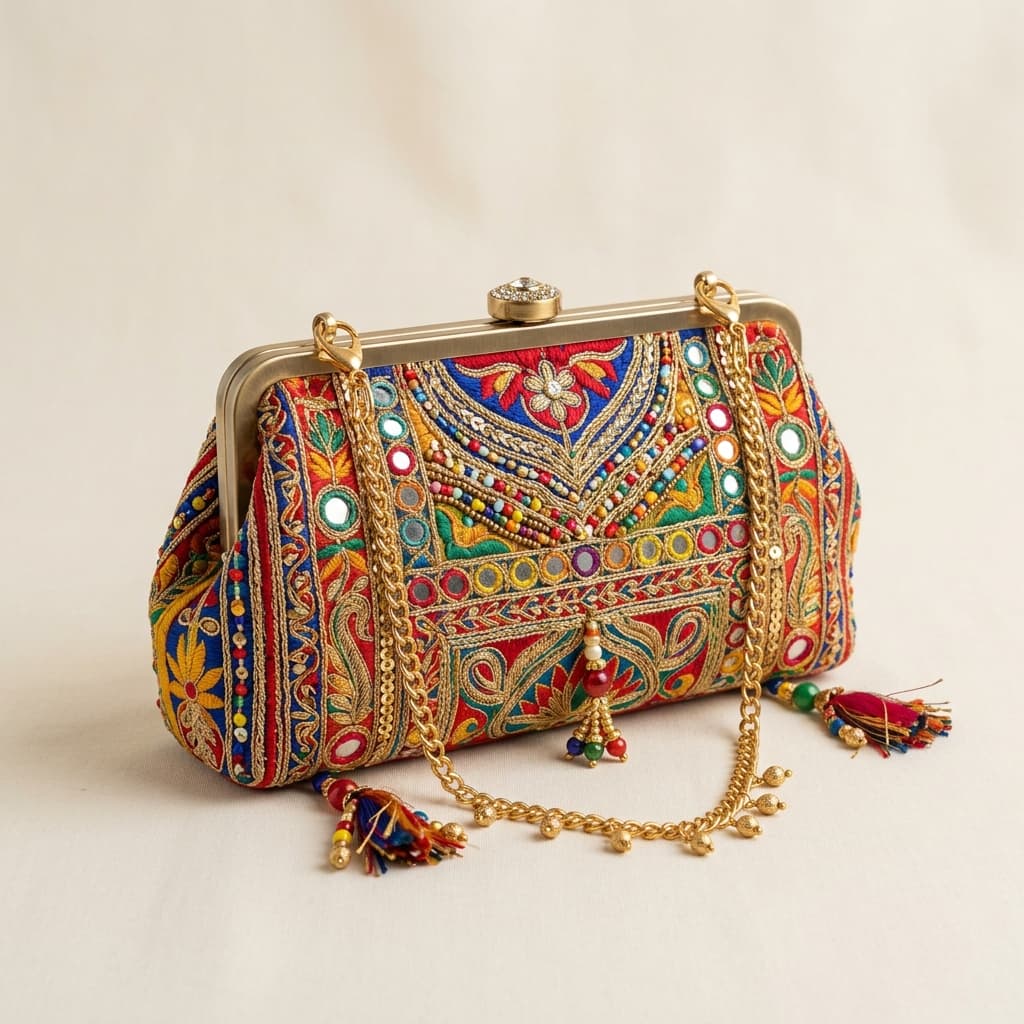
1. Clean Background
Use clean white or neutral light backgrounds to prevent manual and algorithm quality rejects.
2. High Resolution
Ensure your files are at least 500 x 500 px. We recommend 1000px+ WebP files for maximum sharpness.
3. No Watermarks
Do not add brand names, phone numbers, or social handles to your main listings.
4. Square Format
Maintain a standard 1:1 aspect ratio. Most categories fit best in a square layout.
5. Accurate Colors
Wipe out color casts. Match colors to real life to avoid return-to-origin spikes.
6. Frame Spacing
Keep the main product centered and occupying at least 85% of the canvas frame.
7. Visual Stack
Upload at least 4–5 listing images. Multi-angle listings convert 35% higher.
8. Variant Isolation
List different color variants separately to maximize listing real estate.
9. Detail Close-up
Provide a detailed shot highlighting fabric texture, stitch values, or patterns.
10. Sizing Chart
Include a graphic sizing guide for apparel, clothing sets, and footwear items.
11. Focus Accuracy
Ensure the item remains in sharp, detailed focus without camera blur.
12. Category Styling
Style items cleanly. Keep props minimal so focus remains strictly on the product.
Section 3
Fashion & Ethnic Wear Staging Specifics
Meesho's largest sales category demands specialized visual staging techniques.
Garment listings (sarees, kurtis, lehengas, and ethnic sets) require clear presentations to convert value-conscious buyers. Model images are the standard.
Saree listings must show a full-length drape on a mannequin or model, highlighting the *pallu* border details. Kurtis require front and back views in separate files. Ensure fabric details are shot under soft daylight (near a window) to display accurate weave quality.
If hiring models is too expensive, use Seller AI Studio's virtual fashion models to generate professional model photoshoots directly from flat-lay photos.
Section 4
Catalog Strategy: Volume Meets Quality
Meesho's algorithm rewards catalog listing frequency. Learn how to scale your listings.
Sellers who maintain over 50 active SKU listings on Meesho experience significantly higher visibility levels. To scale your catalog efficiently:
- Batch-shoot all product styles in a single day using consistent phone camera angles.
- Utilize AI processing platforms to replace background clutter with standard white layouts across all listings.
- Aim to upload 10 new products weekly to maintain high algorithm activity indexes.
Section 5
5 Immediate Fixes to Raise Your Quality Score
Apply these simple tweaks to your current listings to experience immediate visibility lifts.
1. Clean Cluttered Backgrounds
Swap out grey, cluttered, or home floor backgrounds for pure white to raise listing grades.
2. Complete the Stack
Ensure you have uploaded at least 4 images per product listing to pass the algorithm completeness flag.
3. Upload Sizing Graphics
Explicitly add a sizing chart image to clothing catalogs to cut returns, which directly improves listing rank.
4. Break Down Color Bundles
List color variations as separate products instead of bundled variations to increase keyword search coverage.
5. Sharpen Product Focus
Replace blurry main images with high-resolution, centered WebP files.
Optimize Listings Now
Create Compliant Meesho Catalog Images
Clean backgrounds, align shadows, and center your products in seconds. Upload your phone photos and start optimizing.
FAQ
Frequently Asked Questions
How do I check my catalog Quality Score in Meesho?
You can find your listing Quality Score under the 'Inventory' tab in your Meesho Seller Hub. Listing scores are graded from Excellent to Low.
Can I use text overlays on my Meesho thumbnails?
No, Meesho guidelines recommend keeping the main image free of text, badges, or watermarks. Text can be included in secondary infographic slides.
What is the best resolution for Meesho clothing uploads?
We recommend using square WebP images at a resolution of 1000 x 1000 pixels or portrait files at 1000 x 1200 pixels.